GR-MEGA Support Page
Firmware
18 Aug 2026: GR-MEGA Firmware v1.7.9, release notes
17 Aug 2026: GR-MEGA Firmware v1.7.8, release notes
07 Aug 2026: GR-MEGA Firmware v1.7.7, release notes
27 Jul 2026: GR-MEGA Firmware v1.7.6, release notes
24 Jul 2026: GR-MEGA Firmware v1.7.5, release notes
17 Jul 2026: GR-MEGA Firmware v1.7.4, release notes
16 Jul 2026: GR-MEGA Firmware v1.7.3, release notes
13 Jul 2026: GR-MEGA Firmware v1.7.2, release notes
10 Jul 2026: GR-MEGA Firmware v1.7.1, release notes
07 Jul 2026: GR-MEGA Firmware v1.7.0, release notes
09 Jun 2026: GR-MEGA Firmware v1.6.4, release notes
28 May 2026: GR-MEGA Firmware v1.6.3, release notes
20 May 2026: GR-MEGA Firmware v1.6.2, release notes
25 Mar 2026: GR-MEGA Firmware v1.6.1, release notes
16 Mar 2026: GR-MEGA Firmware v1.6.0, release notes
26 Jan 2026: GR-MEGA Firmware v1.5.5, release notes
22 Jan 2026: GR-MEGA Firmware v1.5.4, release notes
02 Jan 2026: GR-MEGA Firmware v1.5.3, release notes
15 Dec 2025: GR-MEGA Firmware v1.5.2, release notes
03 Dec 2025: GR-MEGA Firmware v1.5.1, release notes
29 Nov 2025: GR-MEGA Firmware v1.5.0, release notes
09 Oct 2025: GR-MEGA Firmware v1.4.7, release notes
30 Sep 2025: GR-MEGA Firmware v1.4.6, release notes
29 Sep 2025: GR-MEGA Firmware v1.4.5, release notes
18 Sep 2025: GR-MEGA Firmware v1.4.4, release notes
16 Sep 2025: GR-MEGA Firmware v1.4.3, release notes
06 Sep 2025: GR-MEGA Firmware v1.4.2, release notes
19 Aug 2025: GR-MEGA Firmware v1.4.1, release notes
17 Jul 2025: GR-MEGA Firmware v1.4.0, release notes
17 Apr 2025: GR-MEGA Firmware v1.3.0, release notes
30 Jan 2025: GR-MEGA Firmware v1.2.7, release notes
29 Jan 2025: GR-MEGA Firmware v1.2.6, release notes
04 Dec 2024: GR-MEGA Firmware v1.2.5, release notes
11 Nov 2024: GR-MEGA Firmware v1.2.4, release notes
22 Oct 2024: GR-MEGA Firmware v1.2.3, release notes
15 Oct 2024: GR-MEGA Firmware v1.2.2, release notes
02 Oct 2024: GR-MEGA Firmware v1.1.6, release notes
17 Sep 2024: GR-MEGA Firmware v1.1.4, release notes
22 Aug 2024: GR-MEGA Firmware v1.1.3, release notes
17 Jul 2024: GR-MEGA Firmware v1.0.1, release notes
Firmware roadmap
1.6: mid March ’26. Sequencer, files & macros (DONE)
1.7: June ’26. Granular engine features & optimization (DONE)
1.8: September ’26. Spectral engine rework & features (DONE)
1.9: December ’26. MIDI, focus on getting the most out of the popular MPE controllers.
1.10: February ’27. Slice mode & multi-samples
1.11: April ’27. Templates
1.12: July ’27. Additive synthesis
Manuals
GR-MEGA USER MANUAL 1.8.a
GR-MEGA USER MANUAL 1.7.f
GR-MEGA USER MANUAL 1.6.c
GR-MEGA USER MANUAL 1.5.d
GR-MEGA USER MANUAL 1.4.d
GR-MEGA USER MANUAL 1.3.a
GR-MEGA USER MANUAL 1.2.c
GR-MEGA USER MANUAL 1.1.d
GR-MEGA Sound Packs
Here you can find FREE Tasty Chips Electronics officially endorsed sound packs for our products.
Factory project (2024) > updated and feature compatible with FW 1.7 and up
Factory project (2024)
Tools
FAQ
Q: I placed a preorder for the GR-MEGA. When can I expect my unit?
A: Please look up your number in the production time table. It’s organized in batches. Your webshop order number should be between the start and end number of such a batch.
Q: I placed a preorder for the GR-MEGA. My postal address has changed. Where can I enter this?
A: When your unit is finished, we’ll send you an email with a webshop payment link, which also contains a form to enter your current postal address.
Q: I placed a preorder for the GR-MEGA, and did the down payment. When can I pay the rest?
A: When your unit is finished, we’ll send you an email with a webshop payment link, which also contains a form to enter your current postal address.
Q: I hooked my GR-MEGA up to my monitors or mixer, but the output volume is really low / there’s noise ?
A: Please make sure you use balanced audio cables (TRS – meaning Tip Ring Sleeve, so the phono jack has 2 black rings, not 1!). Also make sure that the knobs in the upper right are dialed all the way up. For audio input on the GR-MEGA, use balanced gear only, or use a DI box. If this is not ideal, and you have an older GR-MEGA please consider getting a new power brick. We recommend the Meanwell GST40A12-P1J. This will play nice with unbalanced gear. Please do not use your GR-MEGA with any other PSU’s, otherwise power brown-outs and even memory corruption may occur!!
Q: I’m getting jumps when I turn knobs, and making changes in one layer seems to be reflected in another layer. What’s going on?
A: Do you have Ableton connected via USB C? If so, then it defaults to feeding back MIDI data to the source. Please disable this in Ableton’s MIDI setup:
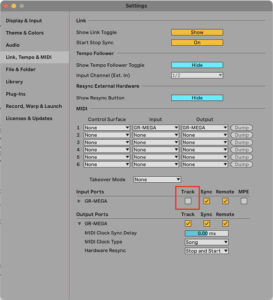
..and also make sure that you’re using the correct MIDI channels on each GR-MEGA layer. Layers can use the same MIDI channel. System menu → MIDI → MIDI channel.
Q: What are the differences between the GR-1 and GR-MEGA?
A: We made this table especially to compare the two: GR-MEGA and Integral specs
Q: Can the GR-MEGA import my old GR-1 patches?
A: It can do this, but it does not support all features yet. We’re adding more features with each firmware update.
Q: I’m sure my MIDI controller is sending stuff to the MEGA, but it isn’t responding?
A: System menu → MPE Mode → OFF
Q: I want a VESA mountable GR-MEGA. Is this possible?
A: We’ll consider VESA mounting options is physically possible (the GR-MEGA is quite heavy) and if enough people chime in.
Q: I’m loading this 1 hour long sample and granular mode does nothing. What’s up?
A: Granular mode is optimized for shorter samples. Crop the sample down to slightly below 6 minutes and you should be fine.
Q: I’m using a big externally powered USB MIDI keyboard / controller, and unplugging it seems to crash my GR-MEGA??
A: Remove the MIDI controller’s power supply. Unplug and replug your GR-MEGA’s power to restart it. Only use an external power supply for the MIDI controller if you’re using DIN MIDI. If using USB MIDI, please let your GR-MEGA power the MIDI controller! This USB MIDI controller is actually misbehaving and does not conform to the USB spec. A self-powered USB device should not “backpower” a host.
Q: The display seems to have a burned-in menu screen?
A: This is temporary. The display has a memory effect, but it’s not permanent. It’s an LCD screen, not an OLED. After a minute or two it will disappear.
Q: My display became white?
A: This is the result of unplugging the power or hard power down (holding down the power button for 5 seconds on newer models). The display is not properly shutdown. The whiteness will slowly disappear after a minute.
Q: In multitimbral – when loading a sample into one of the layers, other layers change to this sample as well! What is up?
A: The GR-MEGA’s multitimbral patches, or stacks, are mainly references to monotimbral patches. If you have the same preset references by multiple layers, then if you load a sample into one of them, yes, both layers will change to the new sample.
For instance, assume the following multitimbral stack:
Layer 1 → preset 1
Layer 2 → preset 1
Layer 3 → preset 3
Layer 4 → preset 4
Now load a sample into layer 1, and yes layer 1 and layer 2 will both change to the new sample.
How the GR-MEGA’s multitimbral stacks are designed to be operated:
1. First design your monotimbral presets, save them.
2. Then arrange those into a multitimbral stack.
Q: I have MIDI controller X and the GR-MEGA reacts in a strange way. How to fix this?
A: It depends a bit on the exact nature of the issue, and also on the popularity of your MIDI controller. The GR-MEGA adheres to the most important general MIDI CC’s, but not all. We cannot buy or borrow every MIDI controller out there, so you just have to dump MIDI data from your controller and compare it with the GR-MEGA CC map found in the manual. You can also send your MIDI dump to us so we can analyze.
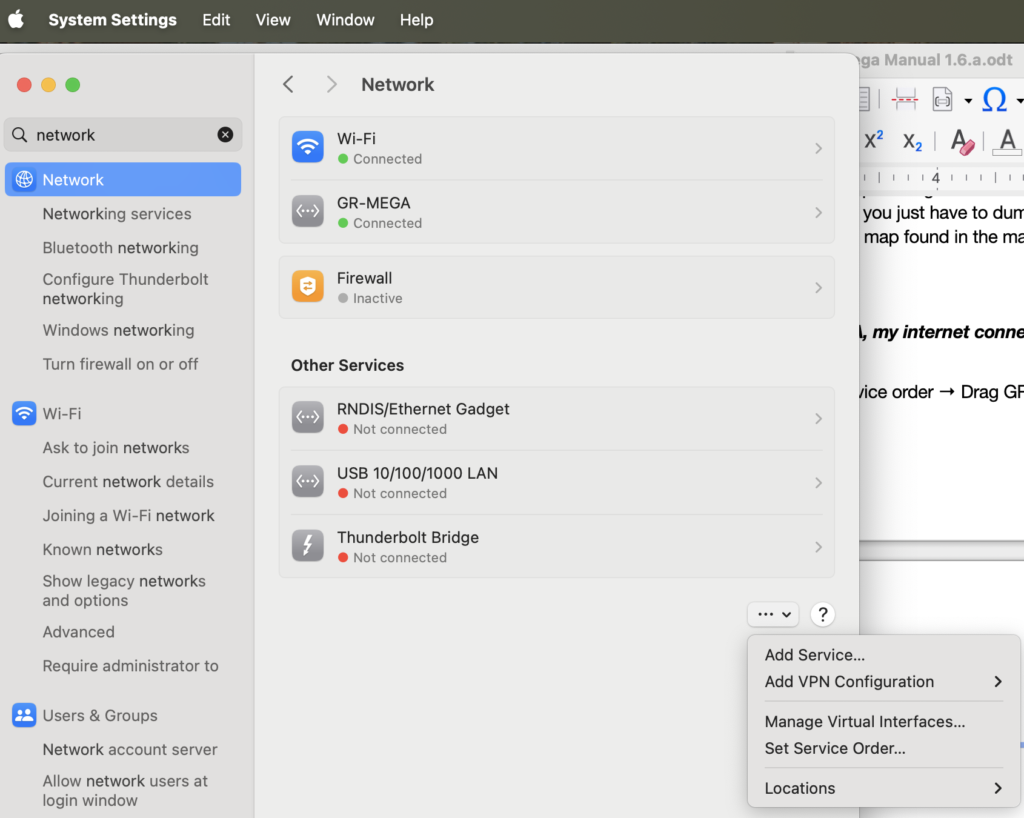
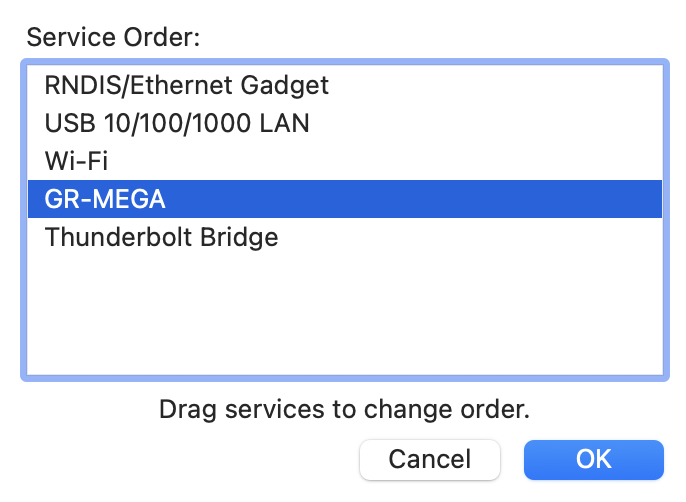
Q: When hooking up my Mac to the GR-MEGA, my internet connection is lost. How can I fix this?
A: System Settings → Network → …⌄ → Set service order → Drag GR-MEGA all the way down.
Q: My GR-MEGA seems mute. Help!
A: The GR-MEGA has many volume controls and two filters. The filters can close, meaning they can mute your patch as well. Things to check:
- Check your setup. Are your monitor speakers in anti-phase?
- Is the display still showing grains? Check MIDI connectivity and MIDI settings. Try the [Play] button. Check grain rate or density knobs. Grain rate can be as low as 0.1 Hz! Grain size can also be super short!
- Check (Master) volume knob, (Wet) volume knob, and (Patch volume)!
- Are the filters closed?
- Press [Layer Mix] and check the levels.
- Enter the effects menu [Menu] + (FX Select) or [Menu] + [Preset 7], and check
- the Synth send volume
- dry and wet volumes on each FX in the chain
- Amp env amount (In Amp sections: Press [Amp], then move Amount fader), and the Amp sustain fader!
Third party support
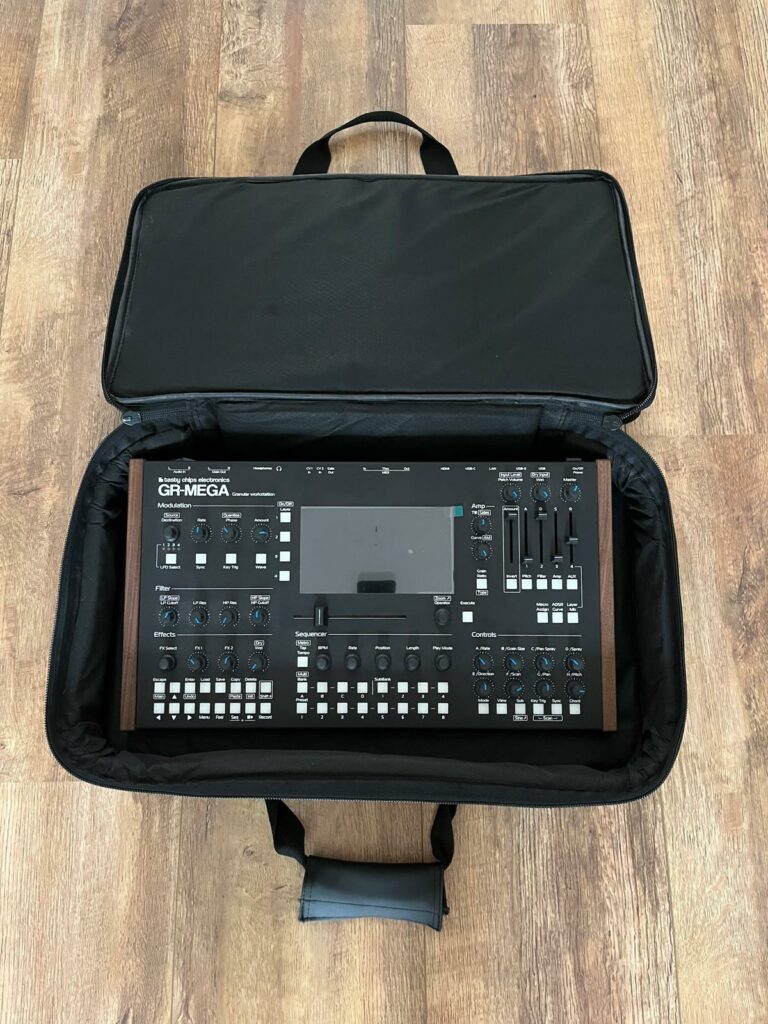
Padded soft cover by Custom:
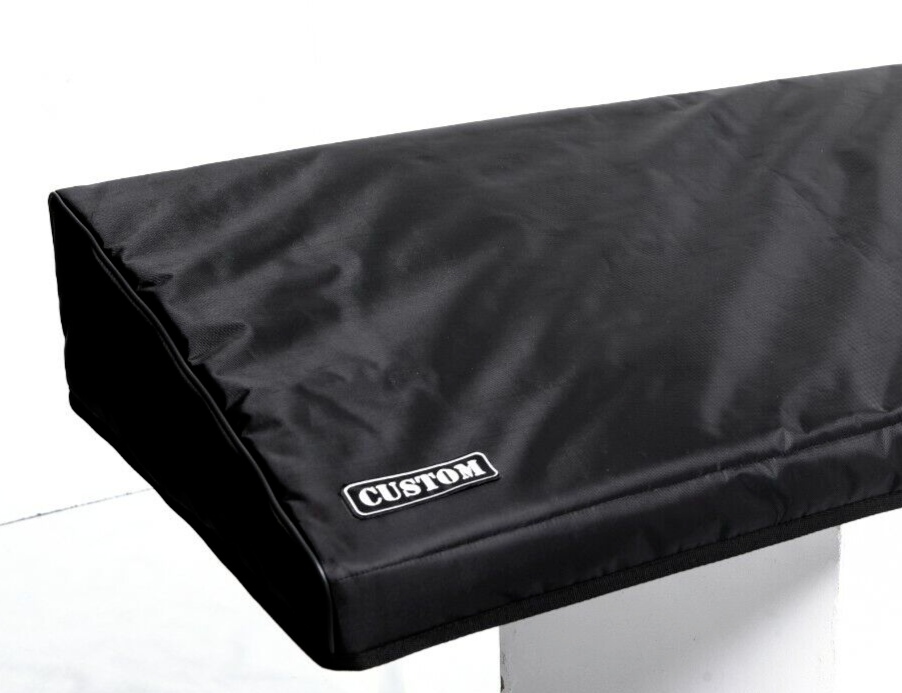
https://www.ebay.com/itm/135425518509
Soft cover from st3nd:
Hard case with wheels and handles(: one with telescope):

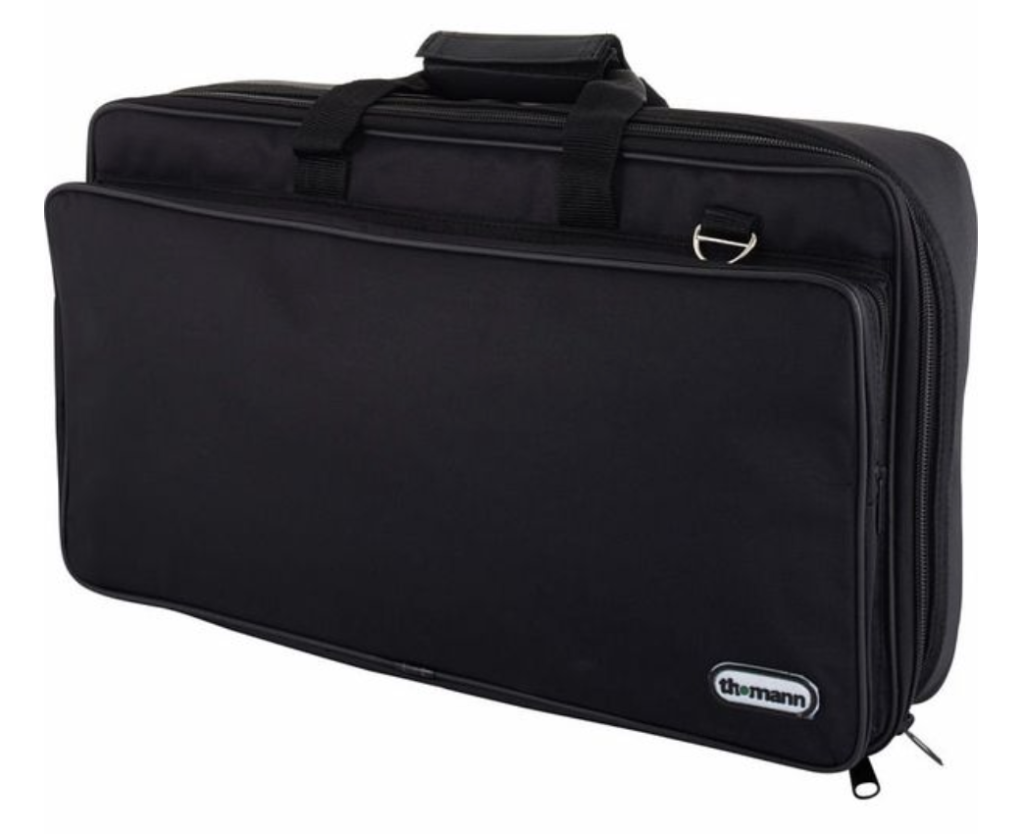
Suitcase (Thomann)
https://www.thomann.nl/thomann_effect_pedal_bag.htm